
Hardware Installation Guides
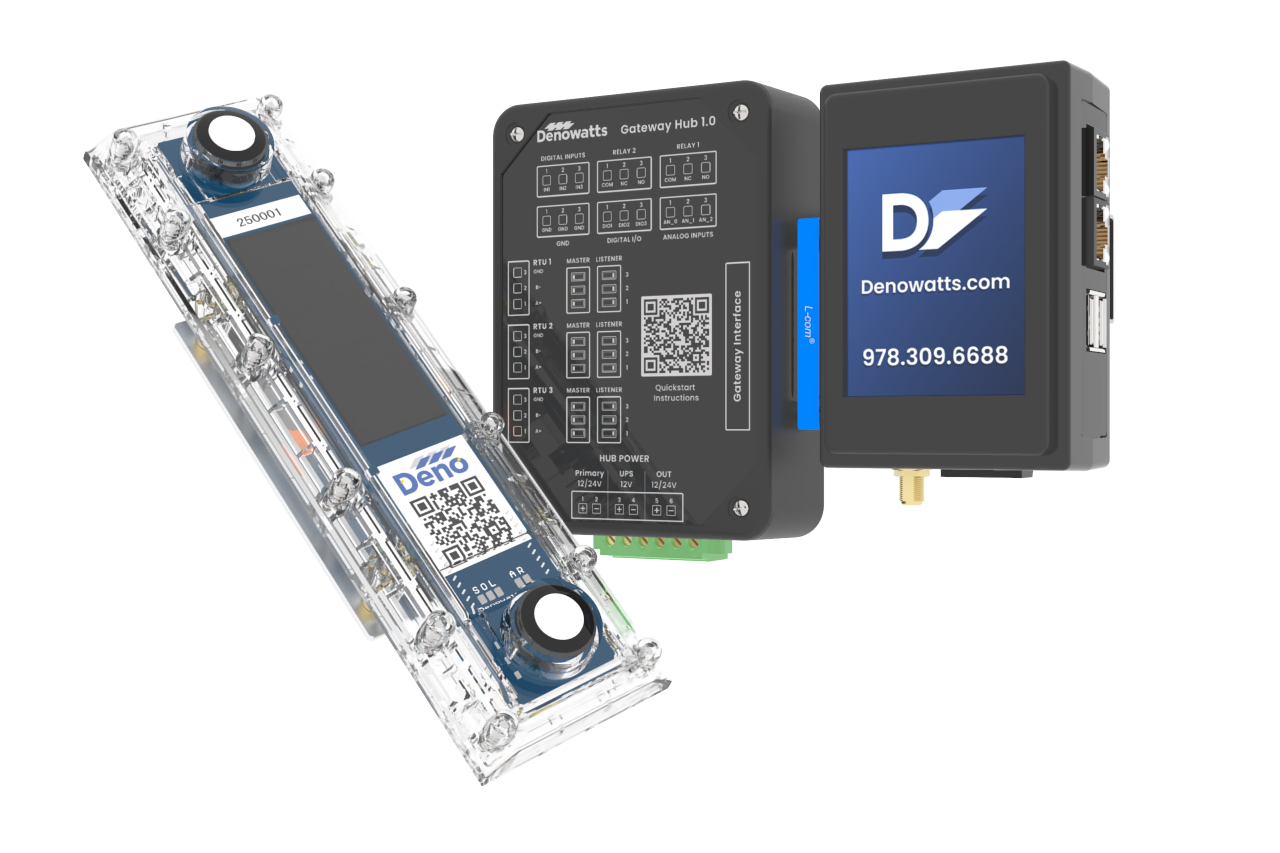
Use the drop-downs on the left-hand side to navigate the available Denowatts installation documentation.
If you are looking for a guide to installing your new Denowatts kit, please open the Current Deno Hardware dropdown menu and follow the instructions. If you are looking for a specific part of the process, search for the relevant sub-section.
If you are looking for older hardware guides, please open the Legacy Deno Hardware section.
Mobile Application
Before starting the installation, download the mobile app.
-
Create an account if needed.
-
Use the "Field Setup" section of the app to commission the Denowatts equipment and upload photos for verification.
Cut-Sheets
These documents provide a clear, concise overview of our hardware and installation process, formatted for easy download and sharing.
Quick Links
Specific Denowatts hardware definitions and quicklinks to their sections in the Denowatts Knowledge Base.
-
Gateway - The central datalogger to which all Deno Sensors and onsite devices report.
-
Hub - The central landing spot for all power and serial RS-485 wires.
-
Antenna - a device used to enable wireless communications between the gateway and the Deno sensors.
-
Deno Sensor - the primary sensor (about the size of a TV remote), installed in a GHI or POA orientation. Contains two pyranometers, a charging cell, antenna connection port, and wire terminals for Aux sensors.
-
Aux Sensor - A sensor plugged into the main Deno Sensor. They can be any of the following: rPOA, Tbom, or an Auxiliary pyranometer.
-
DAS - Data Acquisition System - the site's data acquisition system. The Denowatts gateway is typically installed in the site's main DAS enclosure and powered up behind the UPS (uninterruptible power supply).
Additional Training & Resources
- Check out the Denowatts Support Center for more articles that dive deeper into our methodology and software.

Last updated on