
Denobox
The Denobox is a built-in feature within the portal that enables users to upload all system files, with a maximum file size of 200MB.
When onboarding a new system with Denowatts, it is important to upload the required files to the Denobox after a quote has been approved for shipment. These documents provide Denowatts with the necessary information to accurately specify hardware and preconfigure the system prior to shipment.
-
Electrical Drawings & Array Layout: Most recent versions, available as-builts preferred
- Allows Denowatts to create and send a plan for sensor placement and to verify any system models against as-built conditions.
-
DAS/SCADA Drawings: preferably with meter/inverter/tracker network communication addresses
- Tells Denowatts which devices are on-site and how to connect to the device data for benchmarking
-
PVsyst Summary Model (or other PV Modeling Software): Summary PDF and Project.zip (with .shd file). See PVsyst Upload for export steps.
- Allows Denowatts to program an expected model or digital twin to benchmark system performance.
Sign In or Sign Up
Please sign in to the Denowatts portal or create an account to access the Denobox
How to Upload Documents
-
Navigate to the intended site using the drop-down selector in upper left corner.
- Contact support@denowatts.com if the intended site is not visible.
-
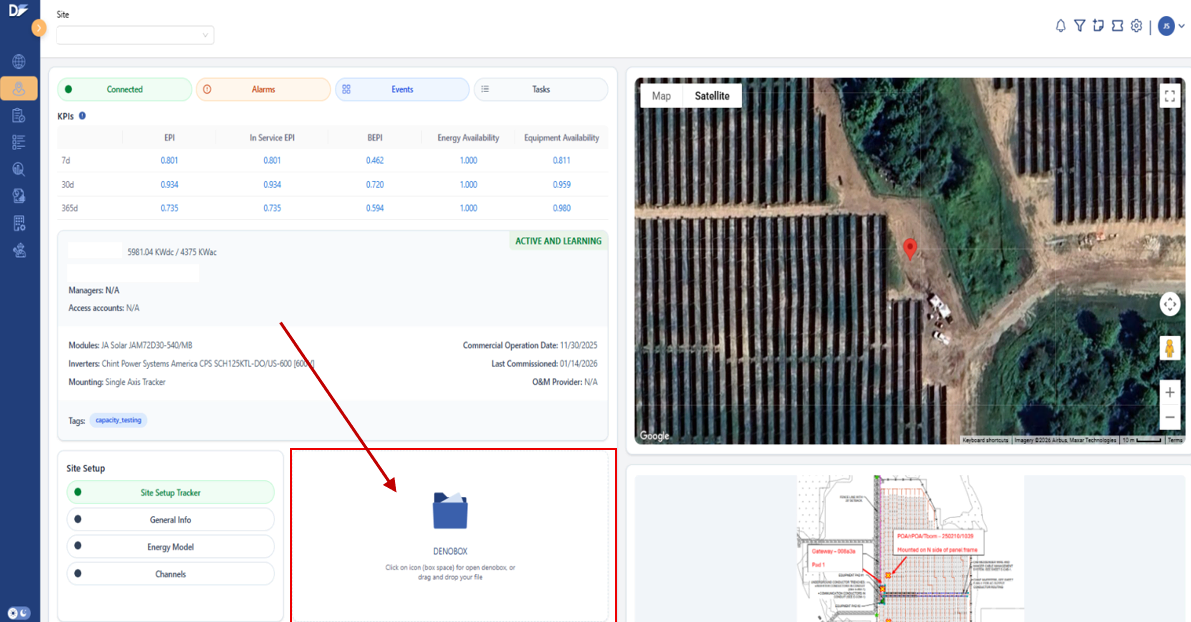
Click on the Denobox Icon from the Site Overview page
-
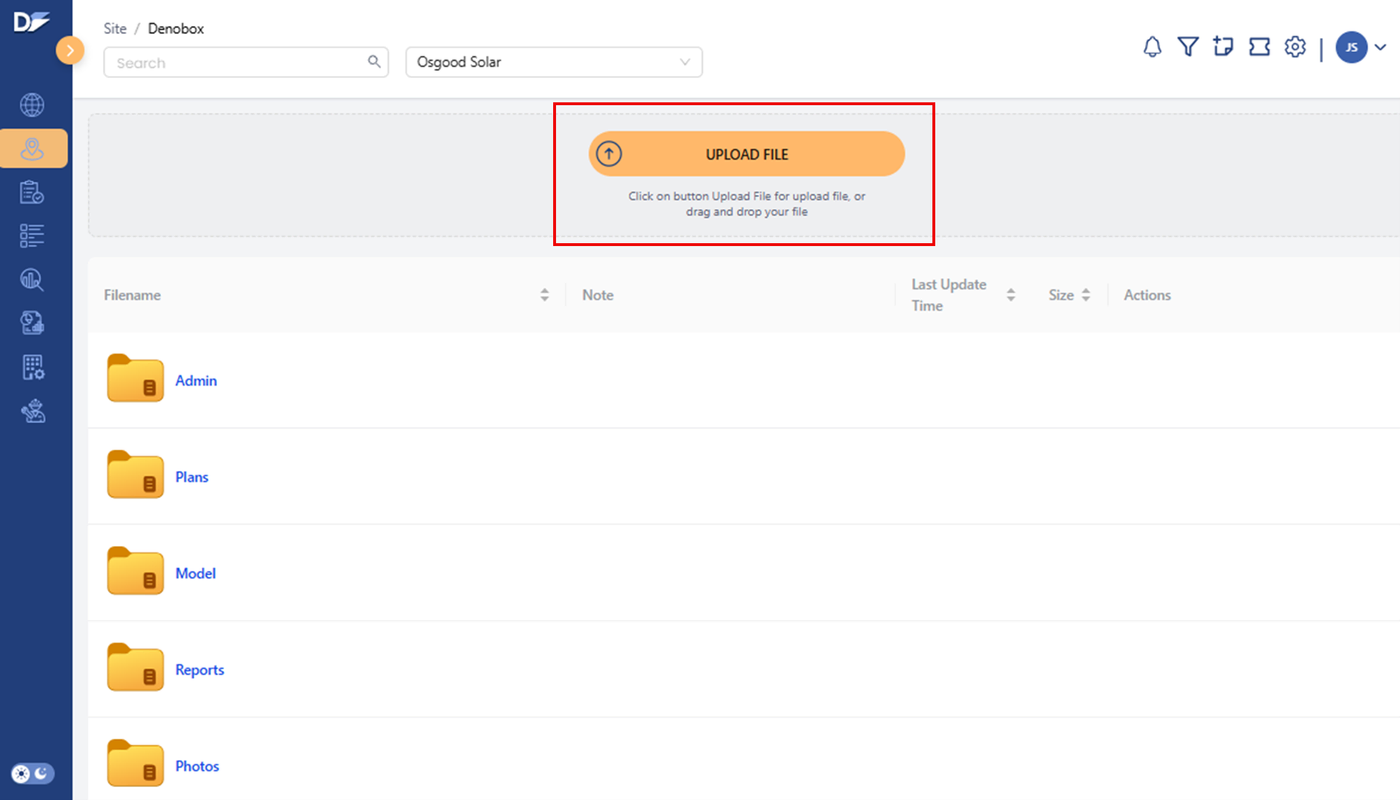
Navigate to the proper folder and either select and drag a document into your browser or select the "Upload File" button
-
Admin - Quotes, Shipping Bill-of-Materials, etc
-
Plans - Electrical drawings, SCADA drawings, Array Layouts, etc
-
Model - PV models, 8760s, Proforma data, etc
-
Reports - Capacity Tests
-
Photos - Any system pictures. Photos uploaded by installers via the MOBILE APP during the Denowatts Commissioning are automatically uploaded to this folder
-
Last updated on