
3rd Party Modbus Integration
Denowatts Gateways can be polled directly by other dataloggers on-site via Modbus TCP if connected to the same local area network (LAN) on-site. If this feature is desired, please follow the instructions in this article for proper setup.
Monitoring providers and other 3rd party integrators are typically capable of programming their on-site dataloggers to poll our Denowatts gateways and ingest all the data that Denowatts is collecting. The most essential information for integration is a modbus register map that describes how to connect to the Denowatts device and accurately map the data into their online software portals. Thankfully, the Denowatts portal makes finding and exporting this information easy, so one can easily download and send it to whoever needs it.
Steps
-
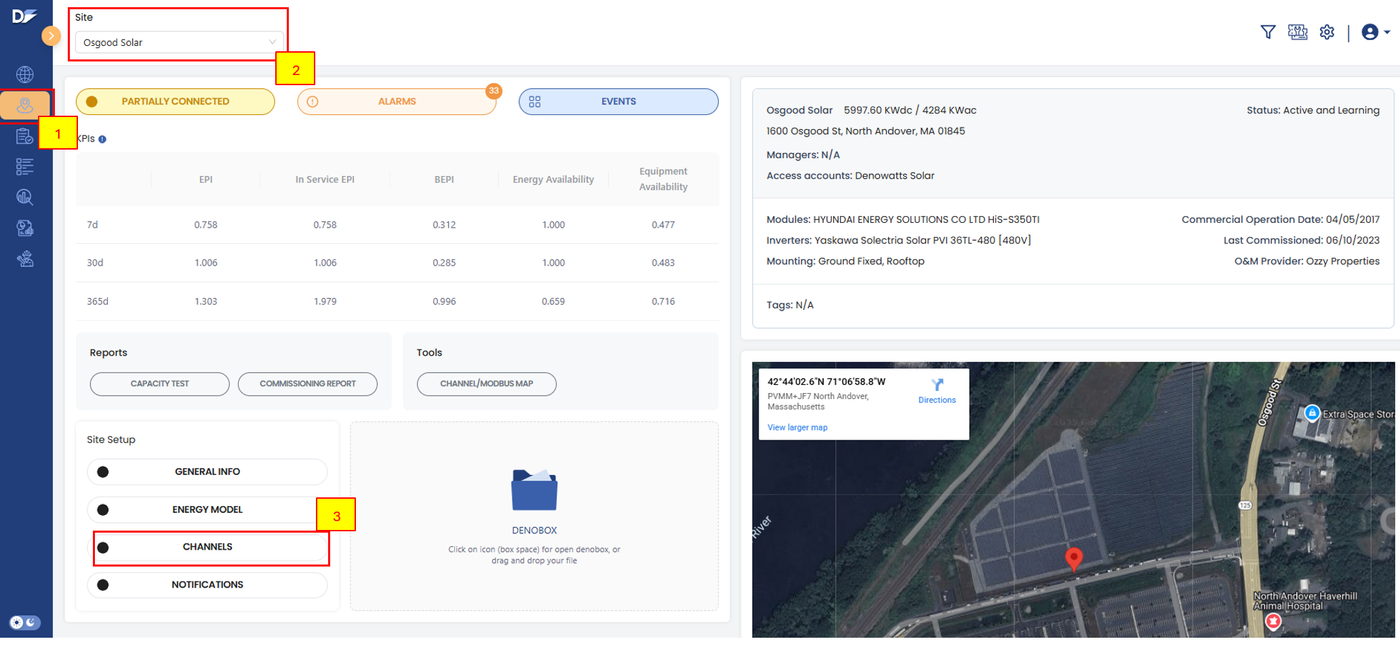
Log in to the Denowatts Portal. If you do not have an account, please follow the instructions on this page: Account Setup.
-
Navigate to the desired site using the drop-down selector
-
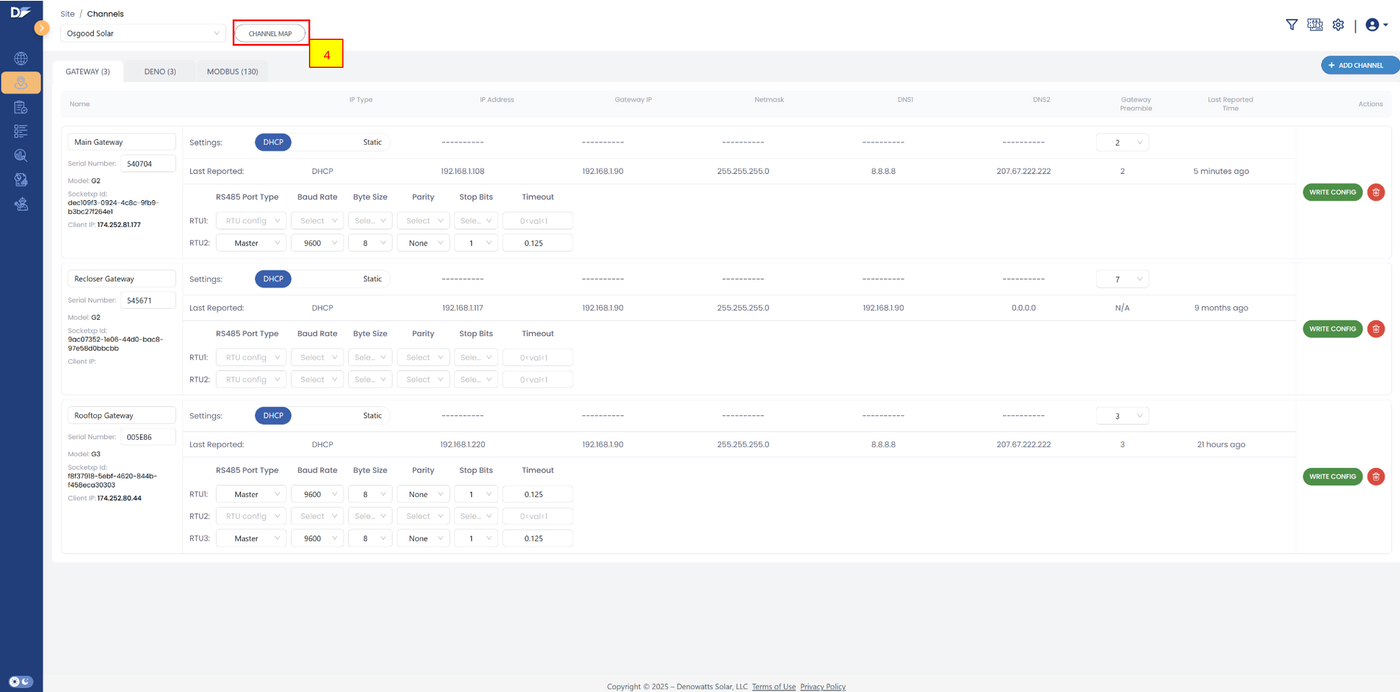
Go to CHANNELS
-
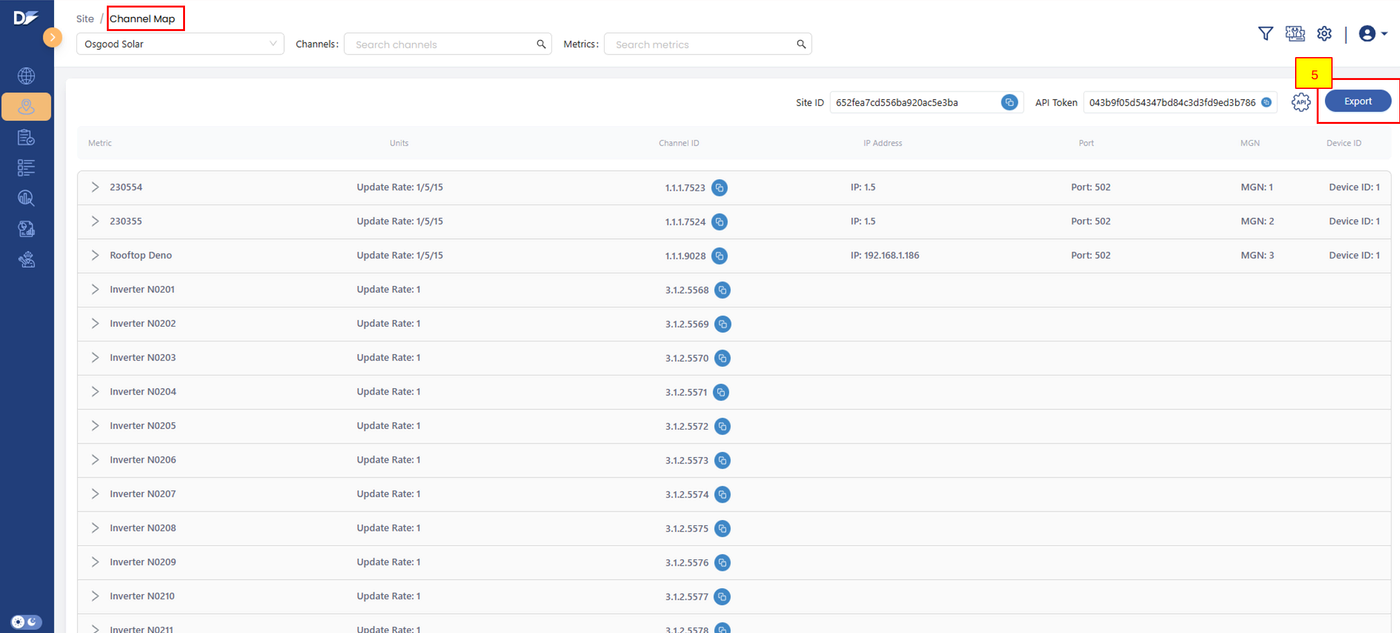
Click the CHANNEL MAP button next to the site selector
-
Click EXPORT in the upper right corner of the page
-
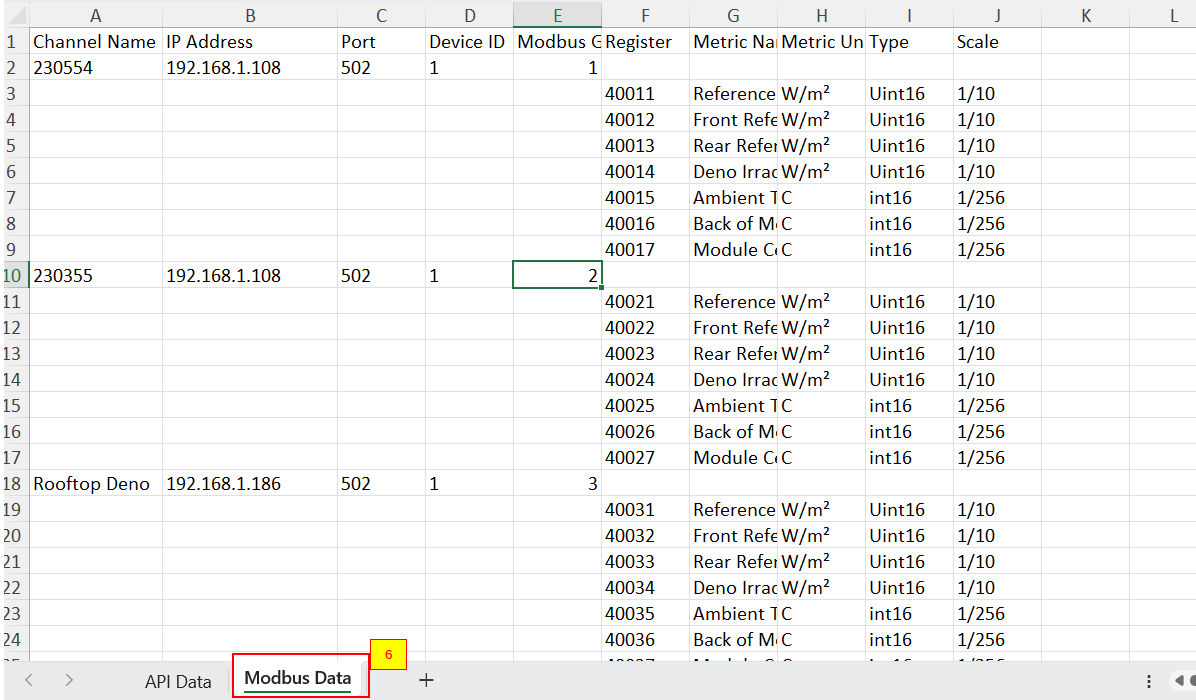
Tab 2 of the Excel document contains the modbus register mapping data (Ignore tab 1 for modbus TCP connections)
-
Please note, depending on how the sensors are configured (i.e. any combination of POA/rPOA/GHI or TBOM/AMB) there will be dormant registers that read stagnant values if enabled in the 3rd party platforms.
Visual Walk Through
End Device Data Polling (Meter and Inverters...)
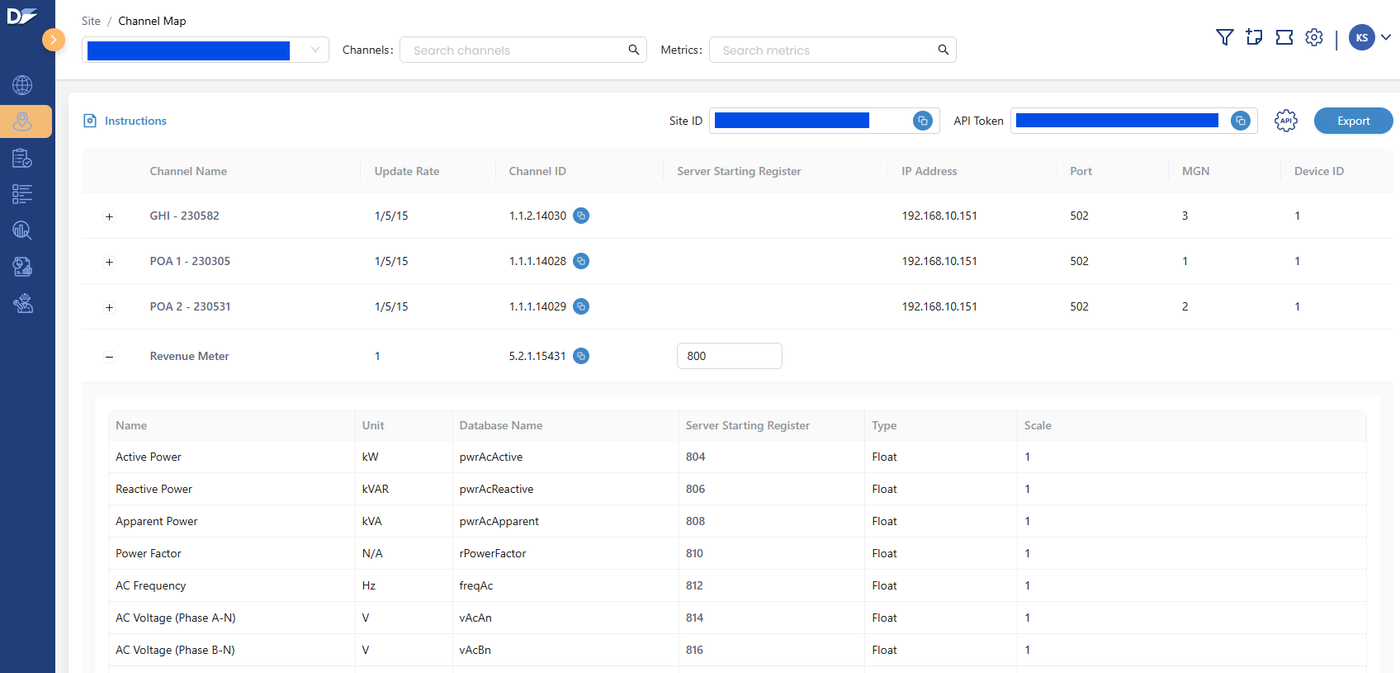
For each end device listed on the Channel Map, the user can assign a Starting Register. All data will follow this register after a few status registers. All end-device registers are in Little Endian 32bit floating-point format. The start registers can range from 800 to 24570.
Example with Starting Register of 800
800,801 = Last Timestamp for successful poll, 32-bit Unsigned Int Little Endian, Timestamp is seconds since 1-1-1970 12:00AM GMT
802 = Elapsed Interval between polls, 16-bit unsigned int, 0 to 1800 seconds, anything longer or without a prior poll to reference will report as 0.
803 = Reserved
804,805 = The first data point from the end device, float32
806,807 = The second data point from the end device, float32
Recommended Spacing
The number of registers between each device must allow for all data to be mapped, so if an end device has 10 data points, then the space between needs to be 4 + 10x2 = 24 registers
First device at 800
Second device at 824
Third device at 848
However, we would recommend adding extra space for each device so these should be 800, 840, 880. Or even 800, 900, 1000, so every device starts on a hundred. This makes it easier to set up the 3rd party modbus client.
Related
Last updated on