
Rut Modem
The RUT 241 modem powers the DENO Remote Management Service, enabling remote personnel to access and troubleshoot devices on the site network 24/7 securely. Internal and third-party support technicians can access and work directly with devices as if they have a computer on-site connected to the LAN.
NOTE – An additional 5-port switch may be required if the site does not have 2 open Ethernet ports.
Conceptual Diagram
Please note: IP addresses may differ by site requirements
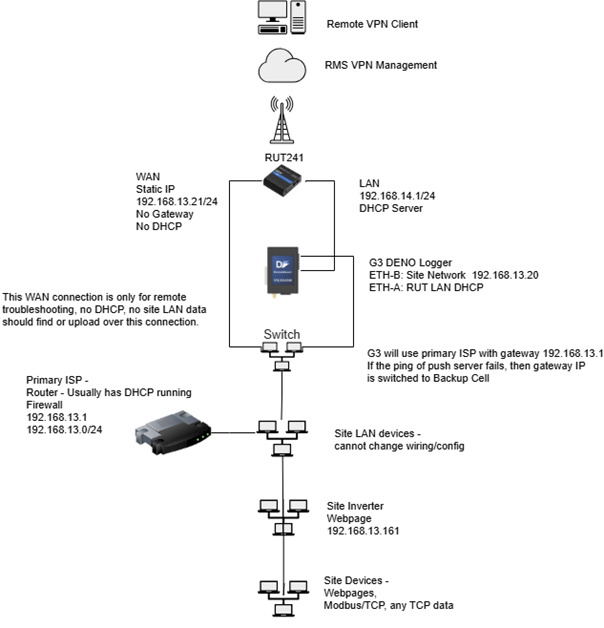
Field Installation Process:
-
Install and power the RUT 241 modem.
-
Connect the WAN port on the RUT to the site switch
-
Connect the LAN port on the RUT to the DENO logger ETH A port
-
Connect the ETH B port on the DENO logger to the site switch
-
Contact Denowatts support for setup confirmation and VPN configuration.
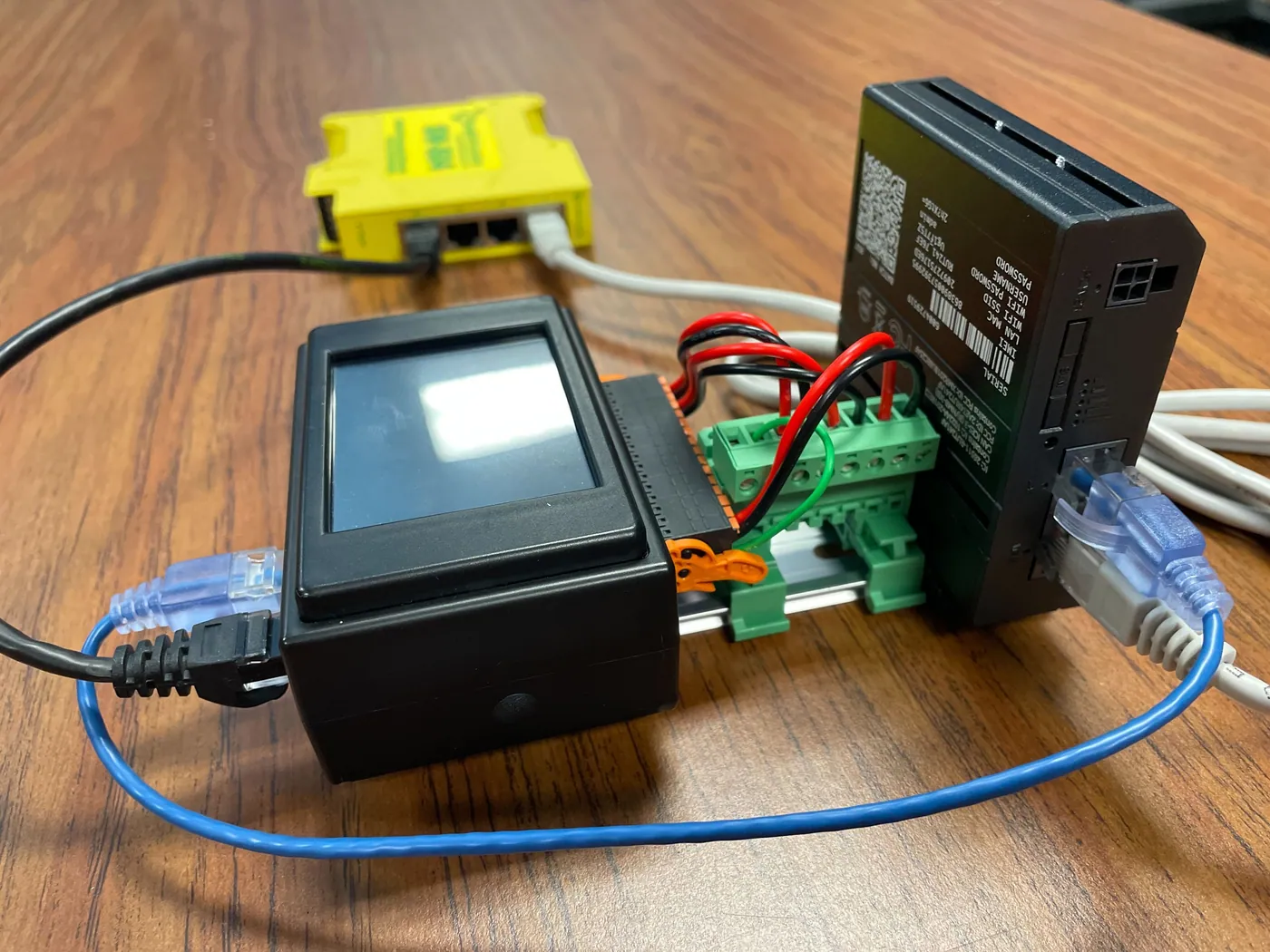
A desktop example of the gateway, RUT modem, and site switch
Last updated on