
PVsyst Reader
Denowatts prefers original Investor Simulations be uploaded as PVsyst.prj .zip folders, along with Post-Processing impacts, if any, and requires two simulations: with and without soiling/snow effects. See Model Management for how Denowatts uses these files to reconstruct the Proxy Model and Year N Simulations.
PVsyst Project.zip Upload
When utilizing PVsyst energy modeling software, Denowatts requires the Project.zip source files to be uploaded to the Denowatts Portal. From these files, Denowatts's PVsyst Reader application extracts parameters, simulation results, and predicted datasets necessary for capacity testing and energy accounting.
Historically, 8760 files and .pdf reports were used for energy accounting and capacity testing. However, this leads to administrative errors if incorrect and unmatching files are used. The benefit of using the complete source file set is that it eliminates administrative errors and provides more detailed information about the expected and predicted models. Please follow these steps to upload the PVsyst source files:
-
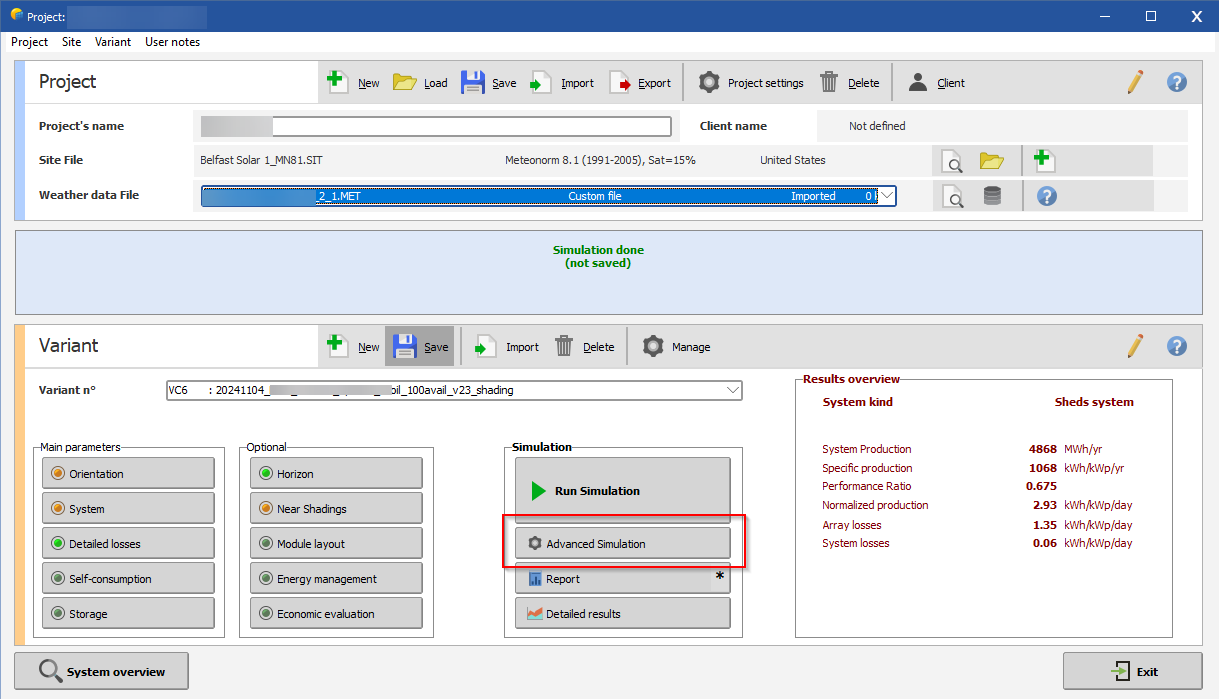
From the PVsyst Project page, select the Variant that will be used as the Record Model for Capacity Testing and Energy Accounting, and click Advanced Simulation.
-
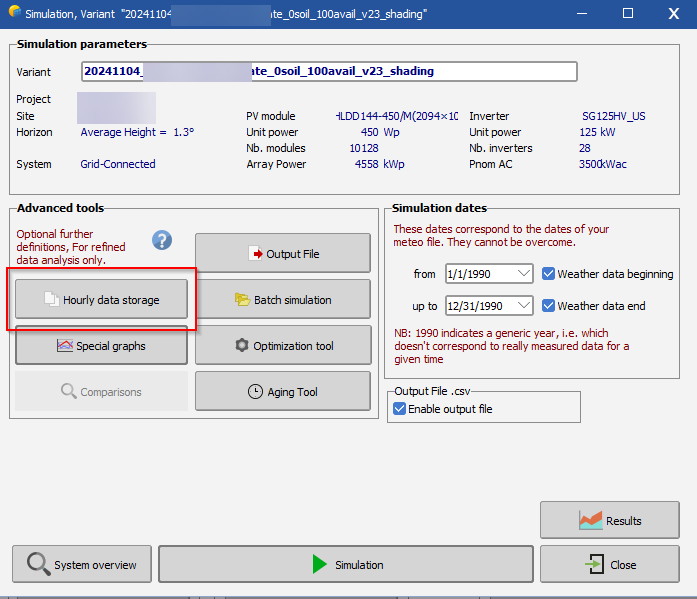
Next, select Hourly Data Storage.
-
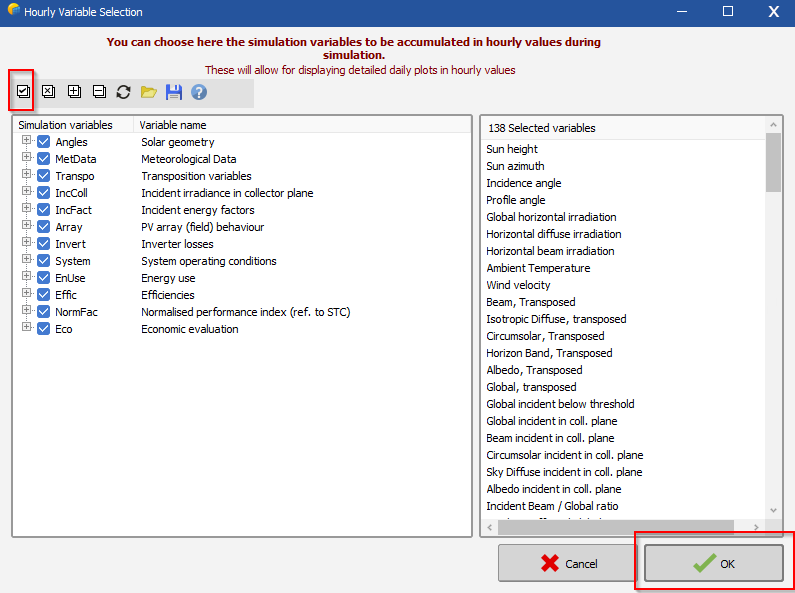
Next, Check All simulation Variables, and select OK.
-
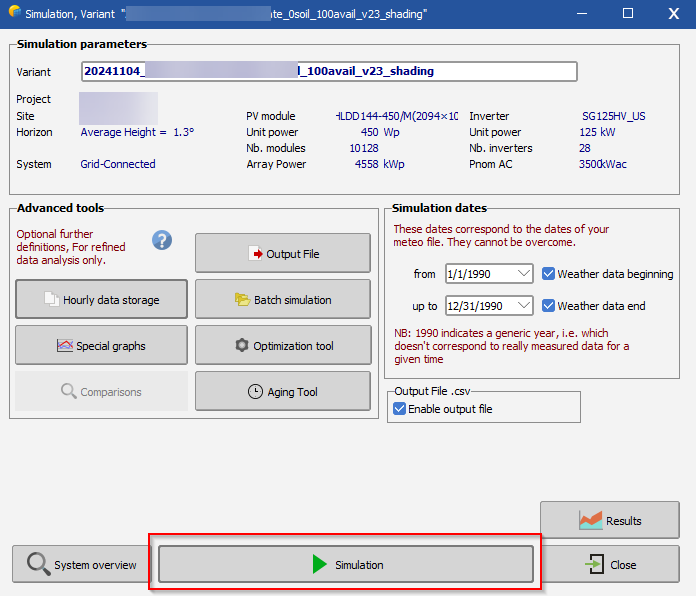
From the Simulation Variant page, run the Simulation.
-
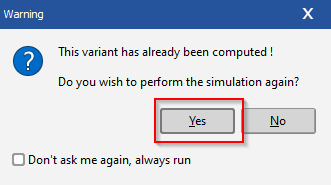
You will receive a warning message. Select Yes to rerun the simulation.
-
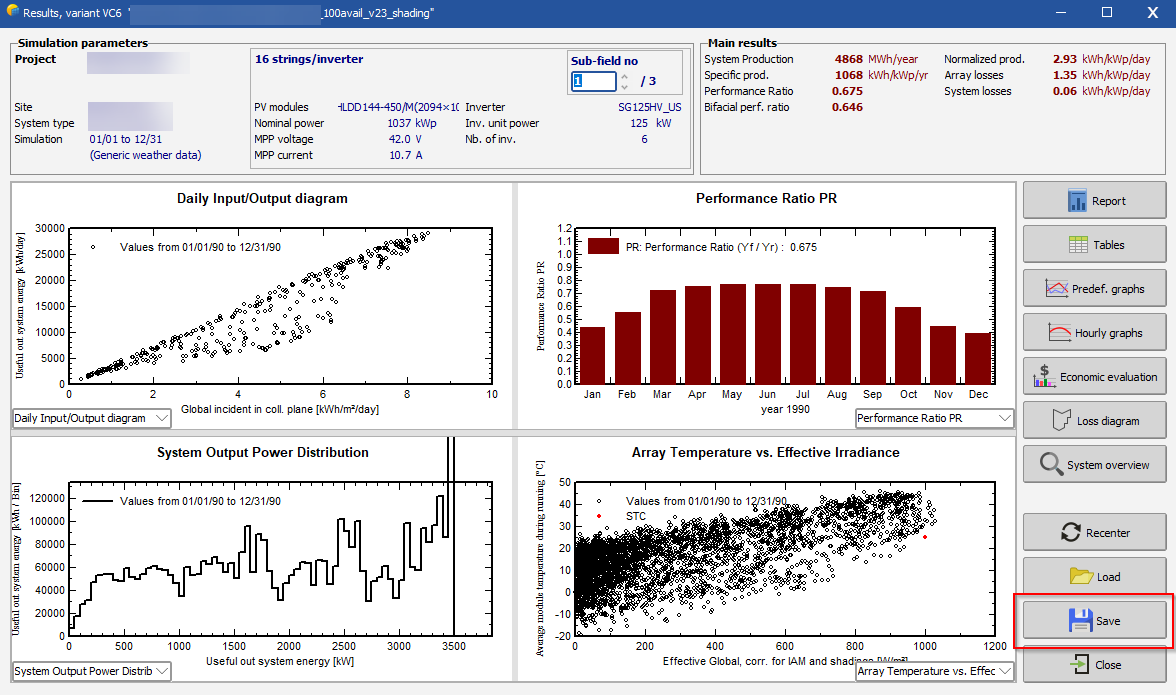
From the results page, select Save.
-
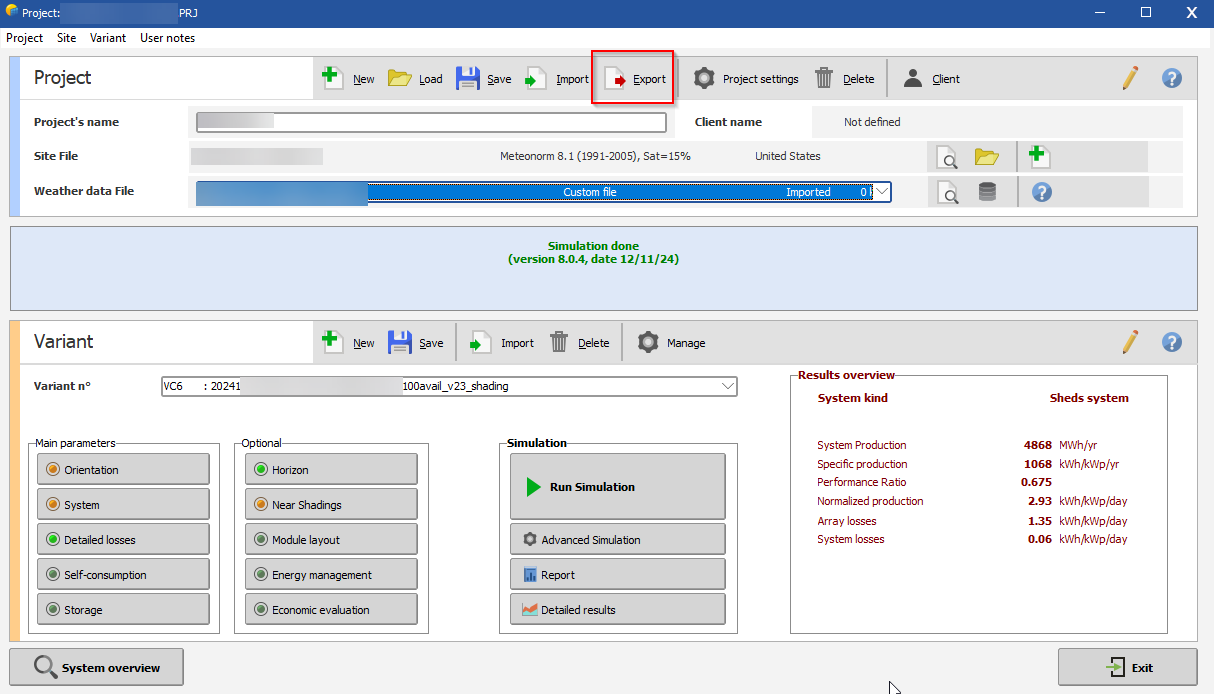
From the project page, Select Export.
-
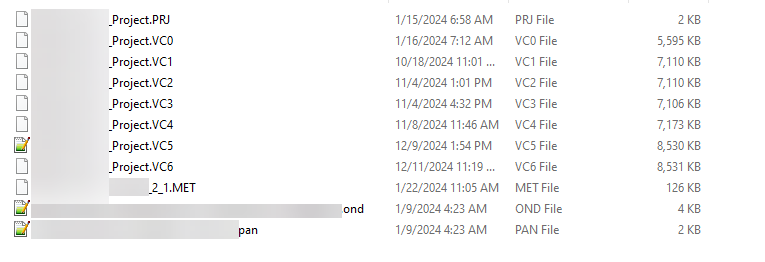
Your Project.zip should contain PRJ, VC#, MET, PAN, and OND files.
-
Upload Project.zip to the Site Denobox. In the Notes column, please type "Record Model VC#" (i.e., VC4) to clarify the correct variant for capacity testing and energy accounting.

Once uploaded, Denowatts staff will verify that the file is correctly imported into the database.
Last updated on