
Verification
Verifying the Gateway
After the gateway is installed, powered up, and connected to the local network, please verify its operation before proceeding to the next step. There are three ways that you can verify the gateway is operating as expected.
- Denowatts Mobile Application.
- Gateway's LCD touch screen.
- Calling Denowatts support 978.309.6688 x1.
via Mobile Application
The mobile application will only connect to the gateway if the gateway is already connected the internet.
Open the Denowatts mobile app:
-
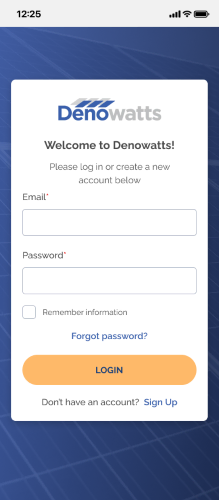
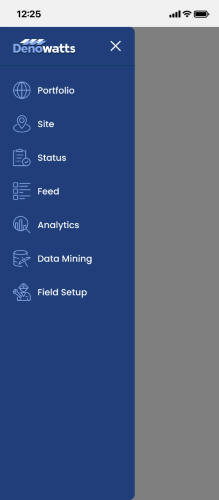
Sign on to the app, go to the Field Setup page
 >>
>> 
-
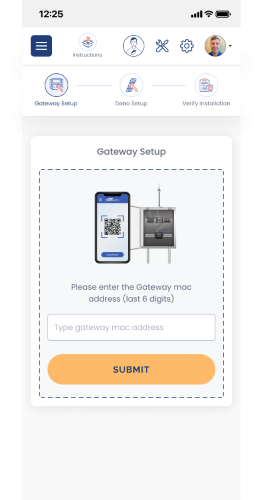
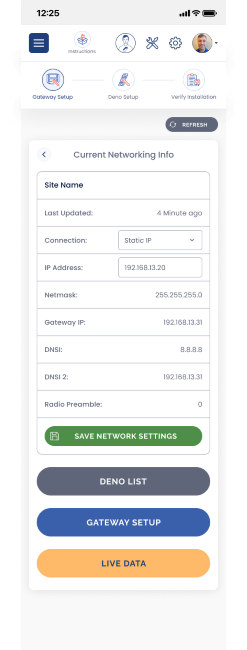
Enter the last six characters of the Gateway MAC address and then select Live Data.
 >>
>> 
-
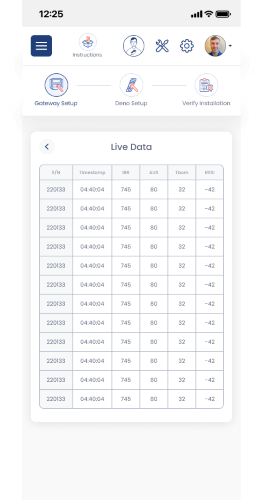
Verify data is being populated in the table.
- If Denos are connected, you will see timestamps with Deno sensor serial numbers.
- If Denos are not connected, you will see blank timestamps.
- If the gateway is not connected, you won't make it past step 2, or you will see a "device not connected" message.
-
Once you can see timestamps populating in the live data table, you will know the Gateway is reaching the internet. Please feel free to call Denowatts support to verify this as well.
via Gateway LCD Screen
If the internet is unavailable during gateway verification, the LCD screen can be used to verify operation. By this time, the Deno sensor(s) should be fully charged to start reporting. Please move them within 10 feet of the gateway.
Below are a few things that can be checked:
-
Use the gateway interface to navigate to the network settings page and check that a DHCP address was assigned or that the static LAN IP address is saved.
-
Check that the Ethernet status lights on the gateway's Ethernet port are showing: Solid Green (link established), and blinking orange (data transmissions) to ensure a solid LAN connection.
-
Deno sensor data is populating and can be viewed on the device.
- The screen starts by showing data from "node 0" and counts up. Click the button below the "Deno" text to scroll through the nodes checking in.
Denowatts Support
If reassurance is needed that the gateway is operational before leaving the site, Denowatts support is happy to help:
- By Phone: 978.309.6688 x1
- Email: support@denowatts.com
Last updated on