
RS485 Adapter
The rs485 adapter is an rs485 to rs232 converter, allowing Denowatts G2 gateways to connect to a modbus serial/rs485 line. When connected to an rs485 loop, the gateway can act as a master, listener, or pass-through device.
This device is only used in DAS/SCADA systems with modbus serial or modbus rs485 communication protocol. The Denowatts G2 device only allows for one modbus loop to be connected. Please contact Denowatts if it is unclear which loop/device to connect to.
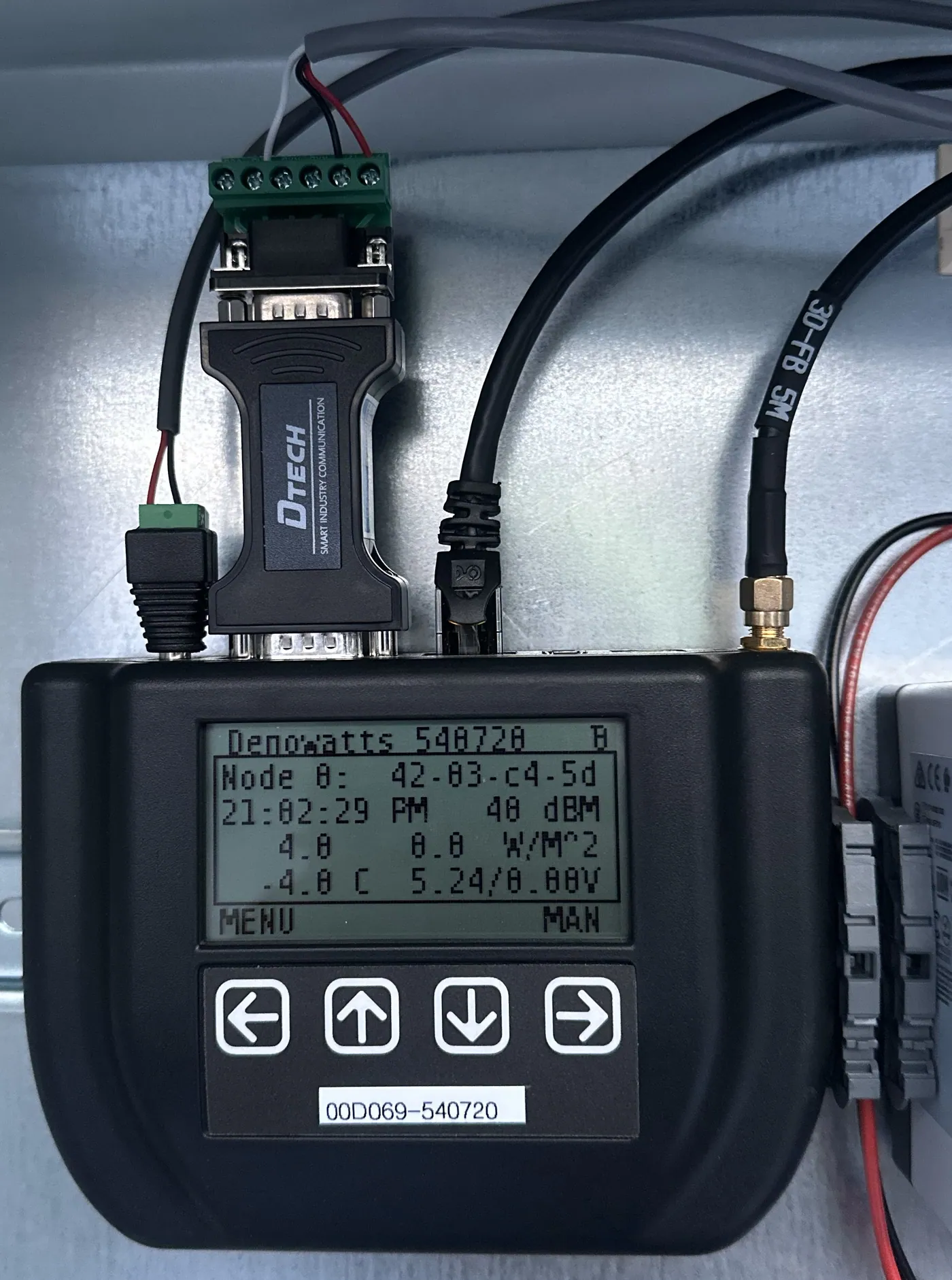
Example Field Installation Image of RS485 Adapter with Denowatts Gateway:
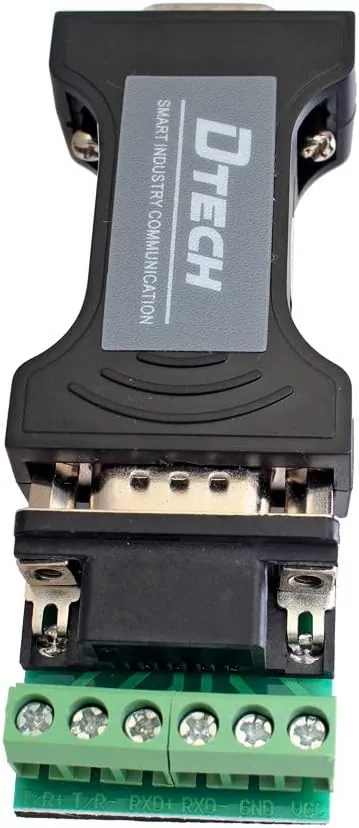
Example Image of RS485 Adapter:
Installation
-
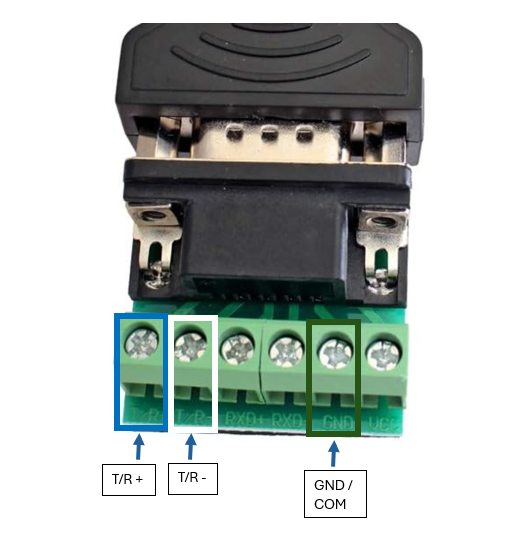
Ensure wires are plugged into the T/R +, T/R-, and GND terminals on the green circuit board, and note which color is on which terminal.
-
Plug the serial 232 port into the gateway and lightly fasten the screws
-
Locate the desired device/loop modbus rs485 communication wiring and terminals.
-
Land T/R+ to +, T/R- to -, and GND to GND or Common using existing terminals or splice
-
Contact Denowatts to ensure Gateway is appropriately configured and data is flowing.
Tips
-
Please do not plug this connector into 24v. This will damage the board and could also damage the Denowatts gateway.
-
Ensure the rs485 communication wiring is plugged into the DAS behind any surge protectors (if possible) to prevent any surges from the field from reaching the denowatts gateway.
- For example, inverter or weather station communication wiring could be exposed to lightning strikes.
Last updated on